Grade
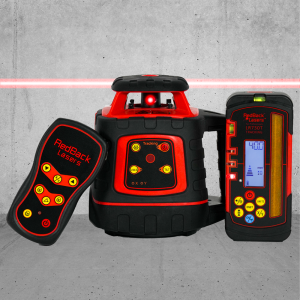
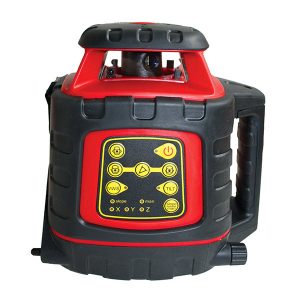
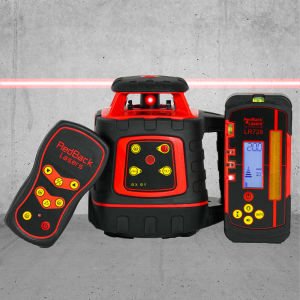
Grade Lasers allow you to set consistent grades/falls/slopes easily!




Buy a Single Grade/ Dual Grade Rotary Laser Online Australia

-
 Free Delivery Australia-wide!
-
 Australian Support + Advice
-
Laser Level Specialists
-
Lasers built for Repairs
-
Lasers built for Calibration
-
Love-your-Laser Guarantee!
-
Ships from Victoria, Australia
-
Over 500 5 Star Reviews
-
Quick Dispatch & Tracked Parcels


How to choose the ideal Grade Laser?
First Choice – decide on whether you need Single or Dual Grade!
Single Grade – Grade in 1 Direction (X or Y axis)
Single Grade Lasers
Single Grade Lasers – What They Are & When to Use Them
Single Grade Lasers allow you to set a controlled slope in one direction only (either X or Y axis). Once set, the laser automatically maintains that grade over long distances with consistent accuracy.
They’re ideal when you’re working on projects that require a straight, uniform fall rather than a compound slope.
Common applications include:
-
Sewer and stormwater trenching
-
Pipe runs with consistent fall
-
Driveways and access paths
-
Simple drainage lines
-
General earthworks where only one slope is required
Why choose a Single Grade Laser?
-
Lower cost than dual-grade systems
-
Faster setup and simpler operation
-
Excellent accuracy over long runs
-
Perfect for trades that rarely need dual slopes
If most of your work involves linear drainage or trenching, a single grade laser delivers everything you need without paying for unnecessary complexity.
Dual Grade – Grade in 2 Directions (X & Y axis)
Dual Grade Lasers
Dual Grade Lasers – What They Are & When to Use Them
Dual Grade Lasers give you independent slope control on both the X and Y axes, allowing you to create compound slopes (falling in two directions at once). The laser continuously self-adjusts to maintain both grades across the entire job site.
They’re designed for high-precision, high-complexity earthmoving and civil work.
Common applications include:
-
Car parks and large slabs
-
Roads and hardstand areas
-
Sports fields and playing surfaces
-
Large drainage catchments
-
Laser-controlled machinery and site works
Why choose a Dual Grade Laser?
-
Full control over complex site geometry
-
Higher productivity on large jobs
-
Eliminates manual checking and re-setting
-
Essential for civil, commercial, and infrastructure work
If you regularly work on large areas requiring water runoff in multiple directions, a dual grade laser is the professional standard.
RedBack Lasers have some of the easiest Grade setting methods on the market!
Manual Grade Match using Slope Remote
1-Person Tilting of Laser Beam
Manual Grade Setting via Slope Remote
Auto Grade Match to mm Receiver
1-Button Matching of Existing Slope
Auto Grade Match to mm Receiver
Auto Grade Match is one of the easiest & convient ways to set grade. Where our Grade Match Rotating Lasers stand out from the rest is the automatic grade match and tracking facilitated by the LR720T & LR730T tracking receivers.
This feature allows the user to set the LR720T/LR730T millimeter tracking receiver at a particular height. You press a button on the receiver, which then communicates to the laser unit. The laser will then slope it’s beam on the selected axis to find this height and lock to this grade. This makes setting grades extremely quick and is especially useful where you want to match to a existing slope on site.
Auto-grade matching can be used in two main ways:
Method 1
By setting a grade in the same manner as a manual grade match, but this time the laser searches for and locks on the receiver automatically. There’s no need to first find level and then move the receiver the required height to match. For example, when holding the receiver 6m from the laser moving the receiver 100mm from level to get a 1 in 60-grade slope.
Method 2
This is when you want to match an existing grade or slope, like setting a constant grade for a driveway on an undulating hillside. The idea here is that you are wanting to match the general existing grade, but you want to take out the lumps and bumps along the way.
This is achieved by setting the height of the rotating laser and receiver on the staff at the same height from the ground. Take the receiver up or down the hill along with one of the two axes. Then press the Auto Grade Match tracking button and select the axis on the receiver and the laser level does the rest, tracking to and locking onto the position of the receiver and fixing that grade. When the grade is fixed, you use the receiver anywhere along that axis and a level reading now indicates that you are on that constant grade.
This tracking feature can also be used with the laser on its side for vertical alignment – making it the ideal option for fencing contractors looking for a laser to do fence alignment. It can also be beneficial for set-out.
RedBack Rotating Lasers that feature Auto Grade Match :
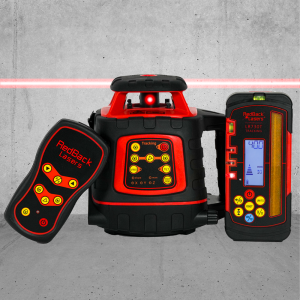
- EL614GM – Horizontal Grade Match
- EGL624GM – Horizontal Grade Match & Vertical Auto Alignment
- Green624GM – Horizontal Grade Match & Vertical Auto Alignment
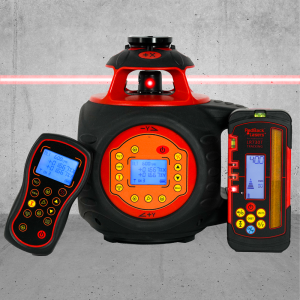
- DGL1010GM – Horizontal Grade Match & Vertical Auto Alignment with Grade Calculation
Dial-a-Grade/Digital Grade
Input Grades as Percentage (%)
Digital Grade/Dial-a-Grade
The quickest, easiest, most accurate Grade Setting is easily Digital Grade.
Digital Grade or Dial-a-Grade as it is often known is a feature normally reserved for the most expensive lasers on the market – until now.
RedBack Lasers’ DGL1010GM is a relatively affordable option for Earthmovers, Plumbers, Fencers, Farmers and more to get a high-end feature at a great price, without skimping on features or quality.
WHY IS DIGITAL GRADE SO GOOD?
To set single or dual grades, it is simply a 2 button press of either the laser or the digital slope remote. You can set grades to 3 decimal places of accuracy (eg. 1.667% rather than 1.7% other brands use).
If you are setting grades constantly or need to be precise with your grades/slopes, then a Digital Grade Laser is the best option.
RedBack Rotating Lasers that feature Dial-a-Grade/Digital Grade:
- DGL1010GM – Dial a Grade to +/- 10.000% in both the x & y axis.
Grade Lasers – Extra Features
RedBack Lasers’ sell fully featured Rotating Lasers with Grade allowing your Laser to be useful in a wide range of applications & conditions.
Tilt Mode
TILT function is one of the most useful features of RedBack Rotating Laser Levels – helping prevent major disrepencies onsite.
If TILT mode is selected and the laser is disturbed or knocked the beam will stop rotating and flash to indicate something has moved.
This allows you to reset the laser to be in the correct position before continuing to operate, mitigating any potential errors caused by disturbances to the laser.
All RedBack Electronic Rotating Lasers feature TILT mode as standard.
Vibration & Wind Sensor
The Vibration & Wind Sensor (VWS) Mode is the ideal setting for when you are working in windy, unstable or similar conditions.
It will tell the laser to continue spinning even if there are some minor disturbances to the laser, like a gust of wind or vibration from a nearby road or machinery.
Normally the laser would try to relevel in order to correct itself after a disturbance. Whereas VWS will just continue spinning, minimizing downtime caused by the laser releveling.
TILT & VWS modes can be considered opposites to each other. TILT would be better for high accuracy operations whereas VWS is better for high efficiency when accuracy isn’t as important.
All RedBack Electronic Rotating Lasers feature VWS mode as standard.
Scan Mode
Scan Mode allows your Rotating Laser that would primarily be used Outdoors, to be able to be used visibly Indoors by spinning the beam back and forth rather than full 360 degree rotations.
Scan mode helps to intensify the beam giving you a visible guideline for indoor installation, which can be combined with other functions like grade or manual modes for suspended ceilings & other applications.
All RedBack Electronic Rotating Lasers feature Scan mode as standard.
Manual Mode
Manual Mode is the mode of choice when you need to set slopes larger than the Rotating Lasers are capable of setting electronically using their sensors (generally around 8-10%).
It basically stops the laser from Auto-Levelling, which allows you to then tilt the laser over manually to create any slope you would like. This is commonly used in conjunction with a Grade Dial Plate (GD12) or Inclinometer/Digital Level.
This is commonly used for steep inclines like driveways as well as suspending ceilings.
RedBack Rotating Lasers that feature manual mode:
Vertical Auto Alignment / Auto Tracking
Imagine a 1 button press to trace a vertical line between your laser & your receiver.
That’s what our Auto-Tracking Vertical Rotating Lasers give you.
This is the gamechanger for anyone looking for a laser level solution for Fence Alignment, whilst also doubling as an effective option for builders requiring long range set-outs for warehouses, sheds etc.
Simply set the rotating laser on its side for vertical rotation with the plane of rotation roughly aimed to the other end of the run you wish to align. Set the receiver up on its side at the far end of the run. Select the auto-grade match on the receiver (this time it has to be the “X” axis) and the beam automatically tracks left to right to find and lock onto the position of the receiver. You can even perform site squaring as the visible dot laser beam is at 90 degrees to this vertical rotating plane.
RedBack Rotating Lasers that feature Vertical Alignment Tracking:
- EGL624GM – Horizontal Grade Match & Vertical Auto Alignment
- Green624GM – Horizontal Grade Match & Vertical Auto Alignment
- DGL1010GM – Horizontal Grade Match & Vertical Auto Alignment with Grade Calculation